Time tracking app

JornAda's iOS and Android app lets employees clock in, check their workday history, view absences and receive notifications. All from their phone.

Try for free✓ 15 days free  ·  No card required
Time tracking appTime tracking appTime tracking appTime tracking appTime tracking appTime tracking appTime tracking appTime tracking appTime tracking app

Available for iOS and Android

Free download on App Store and Google Play. Compatible with the most popular smartphones.

One-tap clock-in

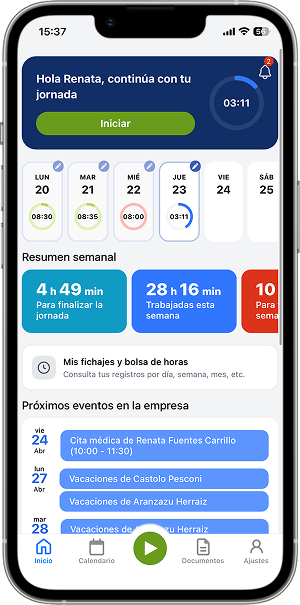
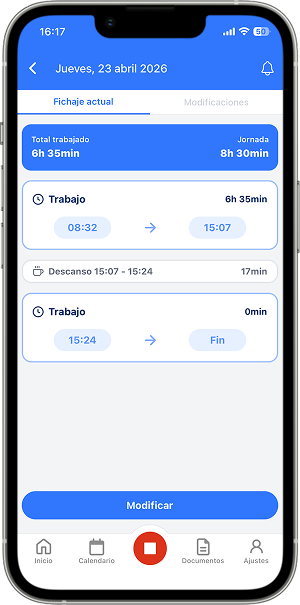
Clock in and out with a single tap. The app shows real-time working time during the active shift.

Workday and absence calendar

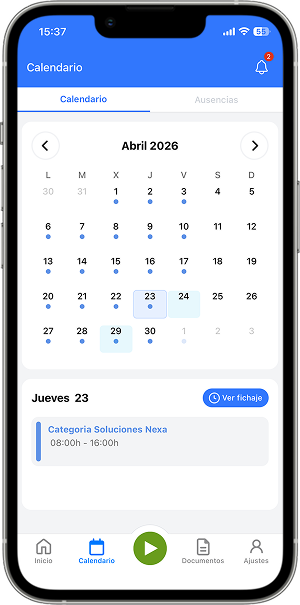
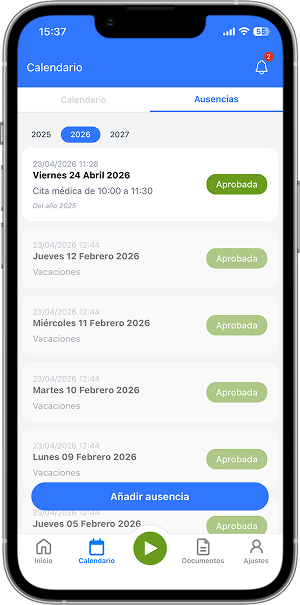
Check the monthly clock-in history, request vacations or absences and view the status of each request from the app.

Access to company documents

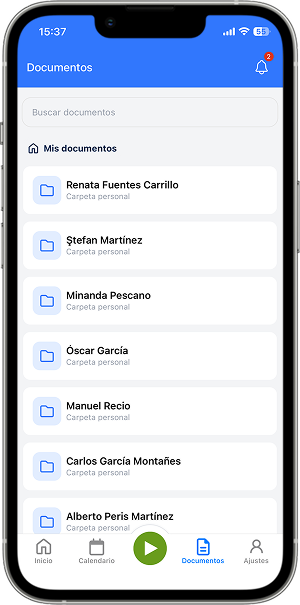
Employees consult and download company documents directly from the app: contracts, payslips, circulars and more.

Smart push notifications

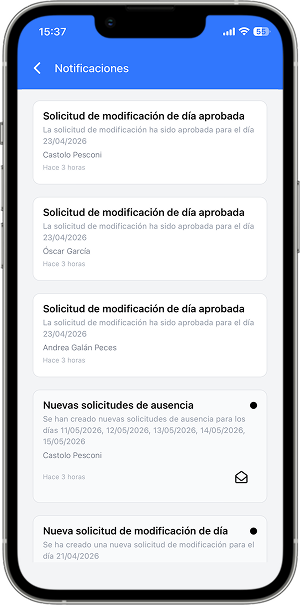
The app sends automatic reminders if the employee forgets to clock in and notifications when an absence request is approved or rejected.

Active users in real time

Admins see in real time which employees are currently working, directly from the app.

How it works

How the JornAda clock-in app works

  1. People sign in with their email or their ID number

    With their email or their ID number, and also with Google, with Microsoft or with the Apple button on iPhone.

  2. They clock in with the button in the middle

    Green when no range is open, red when one is. While the workday is running, the timer keeps counting.

  3. The location is already resolved before the tap

    With the app open the position refreshes in the background, so it is already resolved when they clock in. It never opens the permission dialog at that moment.

  4. A clock-in on the phone shows up everywhere else

    The app reflects anything clocked from another device straight away. A range can open in the app and close from the browser.

The app's five tabs

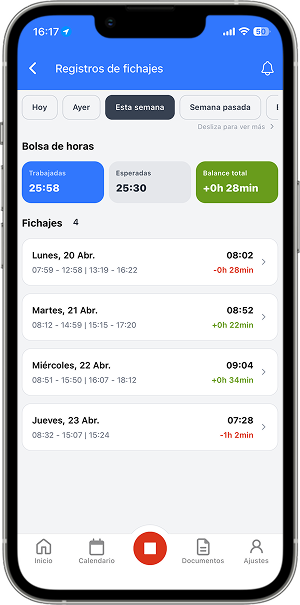
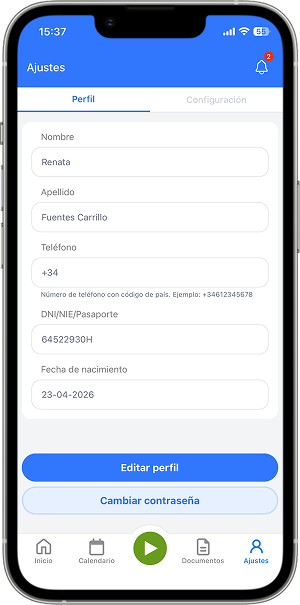
Home gathers today's workday, the week's summary, upcoming events and who is clocked in right now. Calendar changes with who is looking: an employee sees their absences and requests them from there, and a company admin sees the full grid. Their clock-ins with the hours balance, the company documents and their profile are there too.

The app's five tabs

An alert that takes you to the exact place

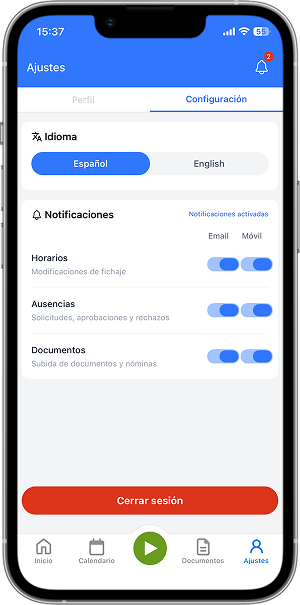
Tapping the notification does not drop you on the home screen: the app navigates to the specific day, document or request and marks it as read. There are six alert categories and each one is switched on separately for email and for push, from the profile itself. Absences are approved from inside the alert.

An alert that takes you to the exact place

An admin works from the phone too

The grid is fully in the app, with its three views and PDF export. So is who is clocked in right now, the team satisfaction card and the assistant's reports, which arrive as alerts. The assistant keeps working even if you close the app and notifies you when it has the answer.

An admin works from the phone too
Common questions

Frequently asked questions about the clock-in app

Can't find your answer?

Write to us and we will help you sort it out.

Contact us

Today the app needs a connection at the moment of clocking in. Where there is no coverage, the usual answer is to leave a clock-in station with PIN or card by the door, or to correct the clock-in afterwards with a change request, which records who asked and why.

No. A position is taken only at the instant of clocking in, and only while the app is open. There is no background tracking and no radius you have to be inside. And with no location permission, the clock-in is recorded anyway without it.

The app is one way of clocking in, not the only one. Without a phone there is the browser, the clock-in station with a 4 to 6 digit PIN, the RFID card and the API. On top of that, you can block which methods each employee is allowed, so a mixed workforce gets along fine.

iPhone and iPad need iOS 15.1 or later, and there is an Android version too. The welcome email every new employee receives already carries the download links. Fixes ship as remote updates, without waiting for store review.

Spanish and English. The language comes from the one the person has saved and, failing that, from the device. Internal news can be read translated, marked as translated by Google and with a link back to the original.

With their email or their ID number, and also with Google, with Microsoft or with the Apple button on iPhone. The welcome email they receive when they are added already carries the download links, so nobody has to explain it through another channel. The first time there are three welcome screens and nothing else: no setup, no codes to request from admin.

Yes. From the calendar in the app they mark the days, send the request, edit it if needed and attach the supporting document, without going through admin. And a manager with approval rights can resolve their team's requests from inside the notification, without opening another screen. It is the part that gets used most when the workforce is not sitting at a computer.

It does no background location tracking. The position only refreshes while the app is open, and a single reading is taken at the moment of clocking in; once it is closed, the app is doing nothing. What does keep working after you leave the screen is the AI assistant, if you are an admin, which notifies you when it has the answer.

Yes. They get an explorer with their folders, a PDF and image viewer and downloads to the device. And they sign with a finger on the document itself, inside the box marked for them, with an indicator of which page they are on. That is what replaces printing, signing, scanning and sending back: the payslip or contract is signed from the phone and stays signed in their folder.

The app tells you when it is worth updating, and some fixes ship as remote updates without waiting for store review. The server is in charge: it can suggest the update, require it, or show a maintenance screen if needed. And if the server does not answer, the app keeps working instead of locking up, which is what matters when somebody has to clock in.

Six categories: their workday, their absences, documents, the schedule assigned to them, forgotten clock-ins and company posts. Each one is switched on or off separately for email and for push, from their own profile, so someone who does not want emails does not get them and still has the alert on their phone. The reminder to clock in or out on time is configured on the work schedule, not person by person.

Download the app and start using it today

JornAda's iOS and Android app lets employees clock in, check their workday history, view absences and receive notifications. All from their phone.