Vacation and absence management without paperwork

Digitize the entire process of requesting, approving and recording absences. Over 20 absence types, approval workflow with notifications and integrated national holidays.

Try for free✓ 15 days free  ·  No card required
Vacation and absence management without paperworkVacation and absence management without paperwork

Over 20 absence types

Vacation, sick leave, maternity, paternity, breastfeeding, force majeure, marriage, bereavement, training, strike and many more. Configure the types your company needs.

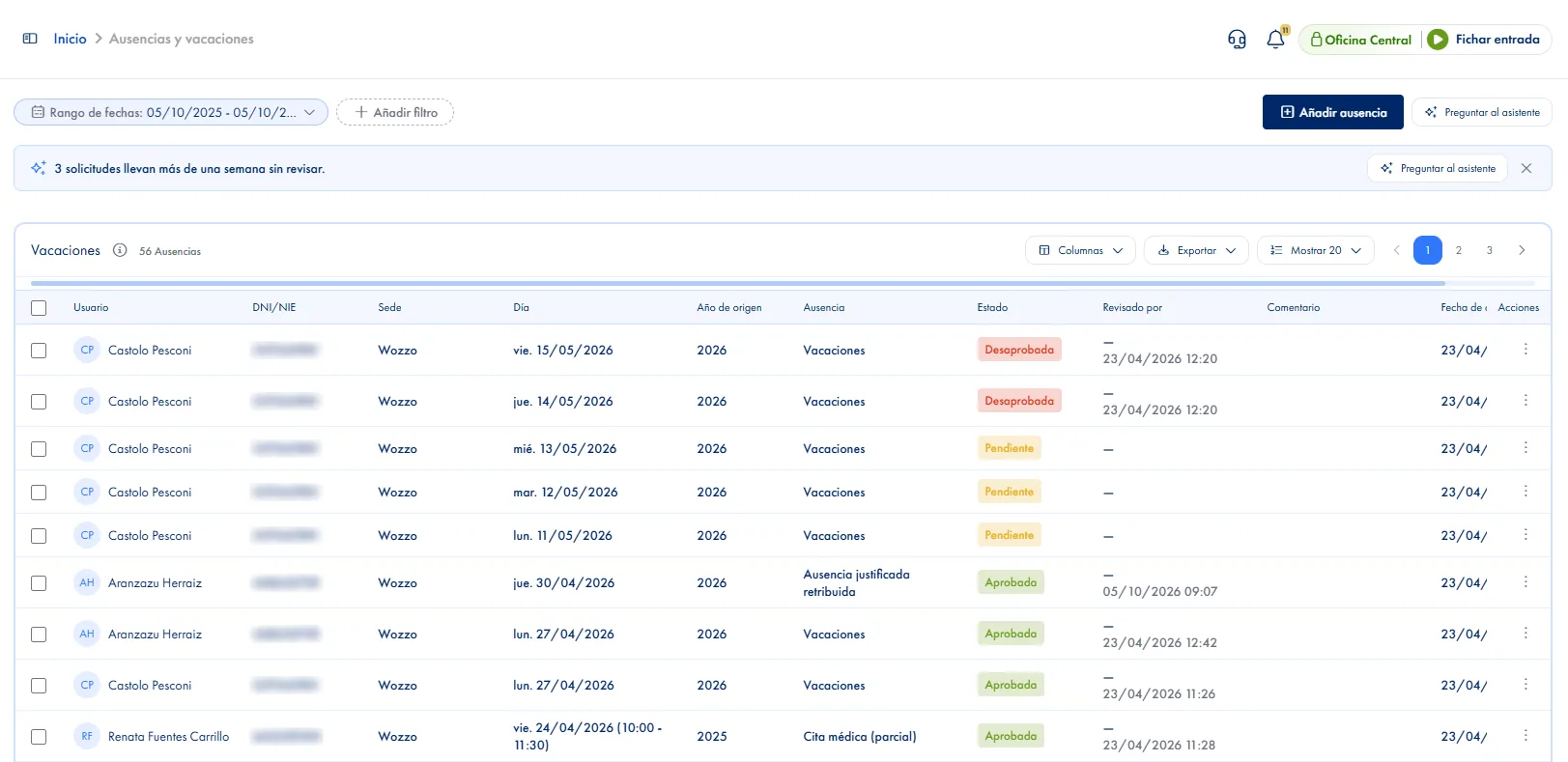
Digital approval workflow

The employee requests the absence, the admin receives the notification and approves or rejects it. The employee is notified of the result instantly.

Bulk approval

Approve or reject multiple vacation requests at once from the admin panel. Manage complete vacation periods with one click.

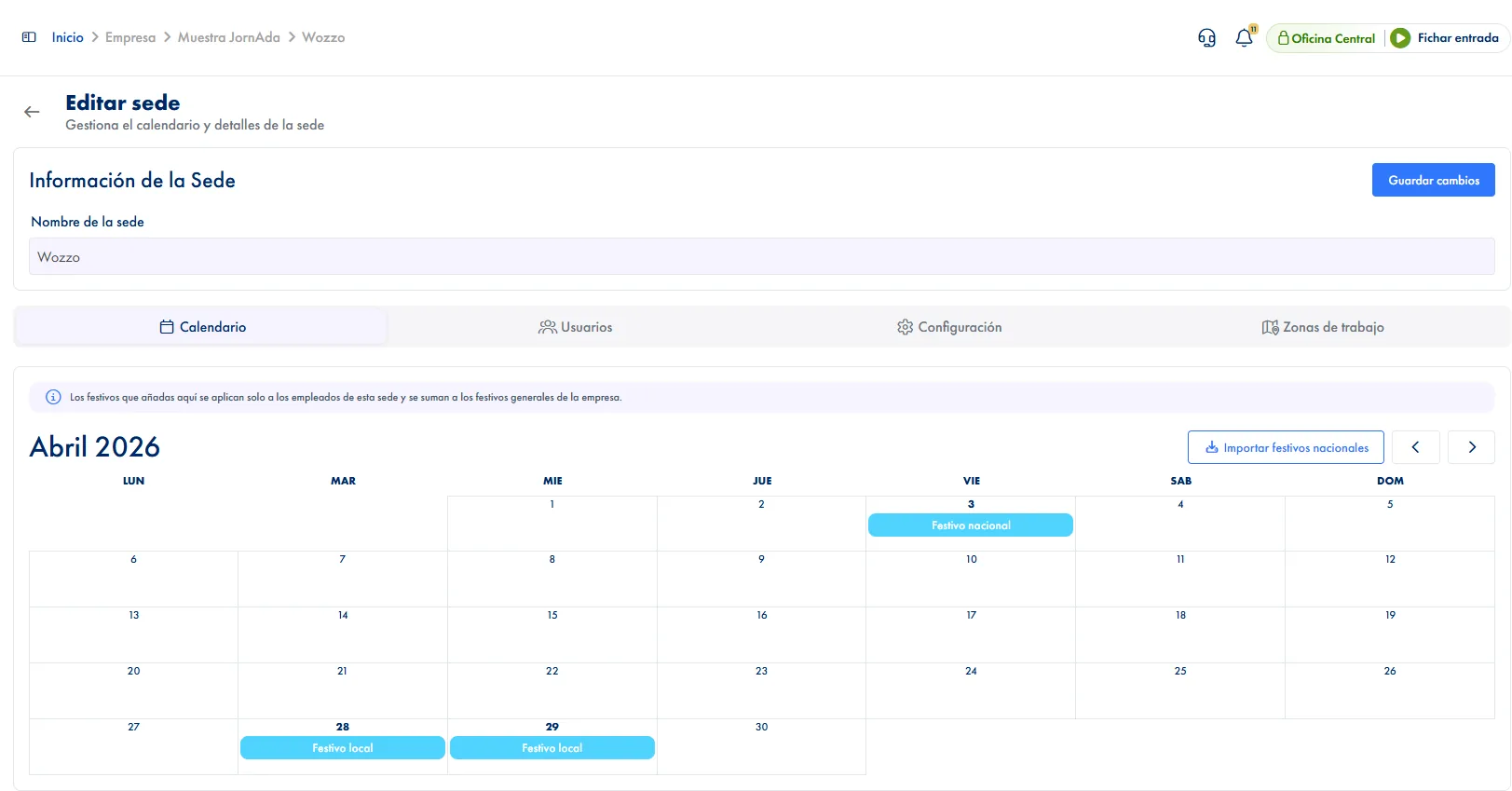
National, regional and local holidays

Automatic integration with the holiday calendar for each region and municipality. Update company holidays with one click.

Partial absences by hours

Record part-day absences by specifying start and end time. Perfect for medical appointments, breastfeeding or reduced hours.

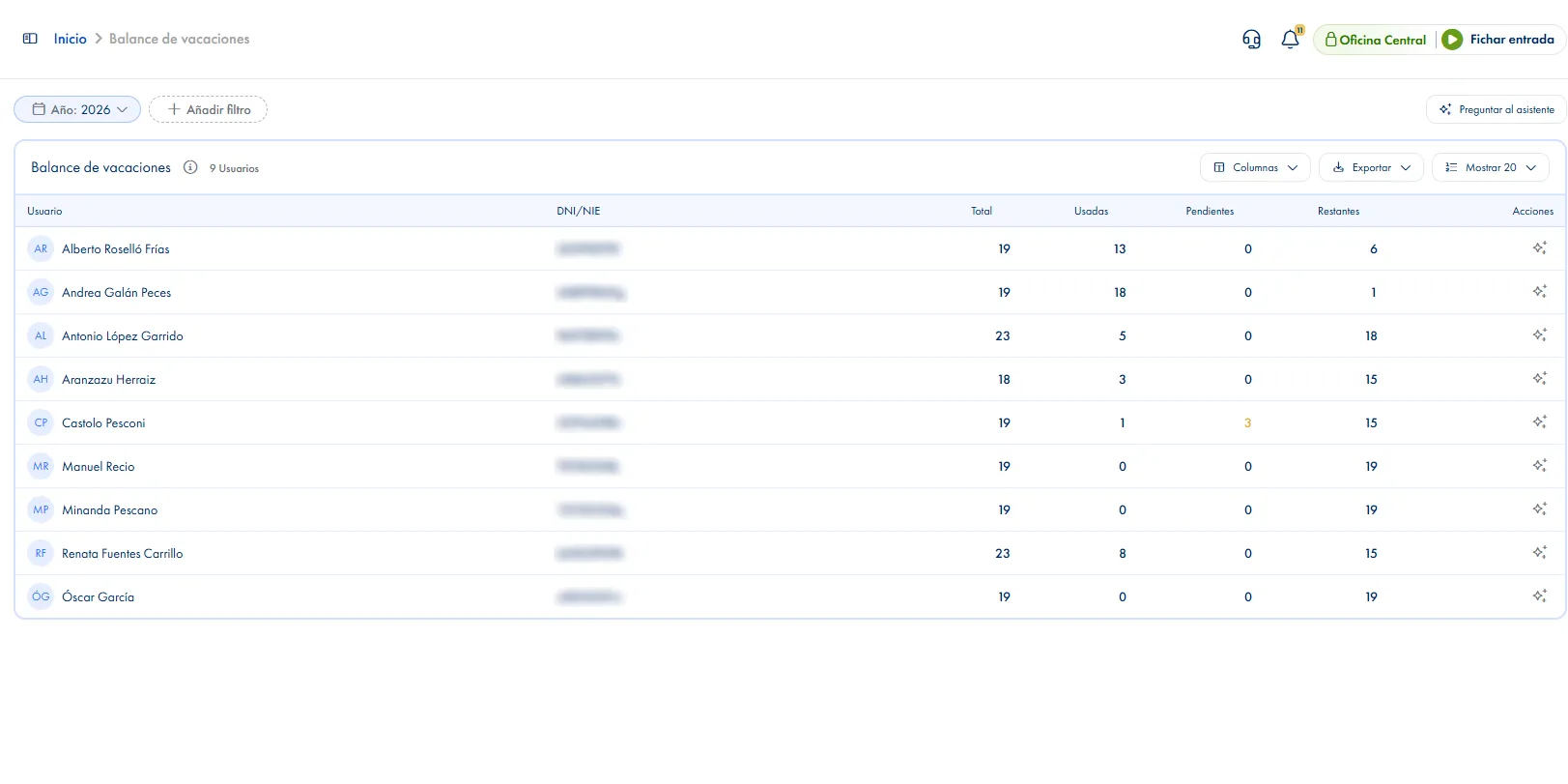
Vacation balance per employee

Check how many vacation days each employee has left based on their contract, days taken and pending approval.

How it works

How absence management works in JornAda

  1. The employee picks a type and the days

    They pick the absence type and mark the days on the calendar. Days they already have booked are blocked, and it warns them if one is a public holiday.

  2. The system checks allowance and overlaps

    Before saving it checks that days are left, that the date falls inside their contract and that the day is free.

  3. Whoever has to review it gets told

    The manager gets the alert in their inbox, by email and by push, with a link to the filtered list. While it stays pending, the employee can change it.

  4. An admin approves or rejects

    One at a time or several at once. Rejecting takes a reason, which the employee sees. An approval given by mistake can be undone later.

28 absence types, not just holidays

Holidays, sick leave, medical appointments, nursing leave, paternity, marriage, moving house, training, strike action, prenatal appointments, force majeure and "Other" for anything that does not fit. Only holiday and half-day holiday come off the annual allowance: everything else is recorded without spending days. And four unpaid types leave the time as a negative figure in the hours balance until it is made up.

28 absence types, not just holidays

The holiday allowance prorates itself

Nobody has to work out by hand what someone joining mid-year is owed: JornAda prorates it over their contract and adds the parts together if there have been several. The employee sees their available days before requesting, and the balance screen covers seven years and exports to CSV and PDF.

The holiday allowance prorates itself

Public holidays are set per site

Each workplace has its own holidays and its own timezone, so two sites in the same company can run different calendars. National ones import in one click; regional and local ones are added where people know what they are. And a company holiday propagates to the whole workforce already approved, with nobody having to request it.

Public holidays are set per site
Common questions

Frequently asked questions about absence management

Can't find your answer?

Write to us and we will help you sort it out.

Contact us

Whatever their contract says: 23 a year by default. If the contract does not cover the full twelve months, JornAda prorates and adds the parts together if there have been several that year. Of the 28 absence types, only holiday and half-day holiday come off that allowance.

Yes, if you give them the permission, and only for people on their teams. What they cannot do is approve their own. And if you would rather absences were recorded by admin only, you can switch off employees requesting them themselves.

The calendar shows it blocked and the server rejects it on save anyway. A full-day absence takes the whole day and allows no other; two partial absences on the same day can coexist.

Until March, yes: the employee picks which year the request is charged to and can draw on the previous one while that window is open. The next year opens in October. An admin can record any of the three whenever they like.

The employee uploads it themselves onto an absence that is already approved, without asking admin for anything. A paperclip appears in the list and an alert goes out. The only type that requires a supporting document is disciplinary suspension, which only an admin can record.

Yes. In the app they open their calendar, mark the days and send the request, and from there they also edit it or attach a supporting document. The browser works the same way. While it stays pending they can change or withdraw it themselves, without asking admin for anything. The manager gets the alert in their inbox, by email and by push, with a link to the filtered list, so nobody has to chase them separately.

Yes, the list lets you select several and resolve them together. On approval the allowance and the overlaps are checked again, in case something changed since the request went in, so a bulk approval cannot slip through a day that was already taken. Rejecting takes a reason, which the employee sees. And an absence already approved can be rejected afterwards, to undo an approval given by mistake.

Yes. When an employee opens the form they do not see the types reserved for admin, so they cannot request something that is not theirs to request. Disciplinary suspension is the clear case: only an admin records it and it is the only type that requires a supporting document from the start. And if your company would rather admin recorded every absence, you can switch off employees requesting them.

Each site has its own calendar and its own timezone, so two workplaces do not share holidays or hours. National ones import in one click by picking the site and the year, without duplicating any already saved. Regional and local ones are added at the site that knows what they are. And a company holiday propagates to the whole workforce already approved.

Three tables, in CSV and PDF: the absence list, the per-employee summary with one column per type, and the holiday balance, which covers seven years. They export with the columns you have on screen and with a totals row, so what you download is what you were looking at. It is what goes to your payroll bureau at month end without rebuilding it by hand.

Yes. Ten of the types are partial: they are requested with a start and end time, and JornAda warns if the slot falls outside that person's schedule. Two partial absences on the same day can coexist, while a full-day one takes the whole day. And half-day holiday is a type of its own, weighing half a day against the allowance and asking for no time slot, for the usual case of a free morning.

Simplify your company's vacation management

Digitize the entire process of requesting, approving and recording absences. Over 20 absence types, approval workflow with notifications and integrated national holidays.