Employee Time Tracking Software for Your Company

Record every employee's workday accurately and paperlessly. Comply with labor regulations with clock-ins from web, app, tablet, PIN or RFID.

Try for free✓ 15 days free  ·  No card required
Employee Time Tracking Software for Your CompanyEmployee Time Tracking Software for Your Company

Clock in from any device

Employees clock in from a browser, mobile app (iOS/Android), kiosk tablet, RFID card or personal PIN code.

Real-time geolocation

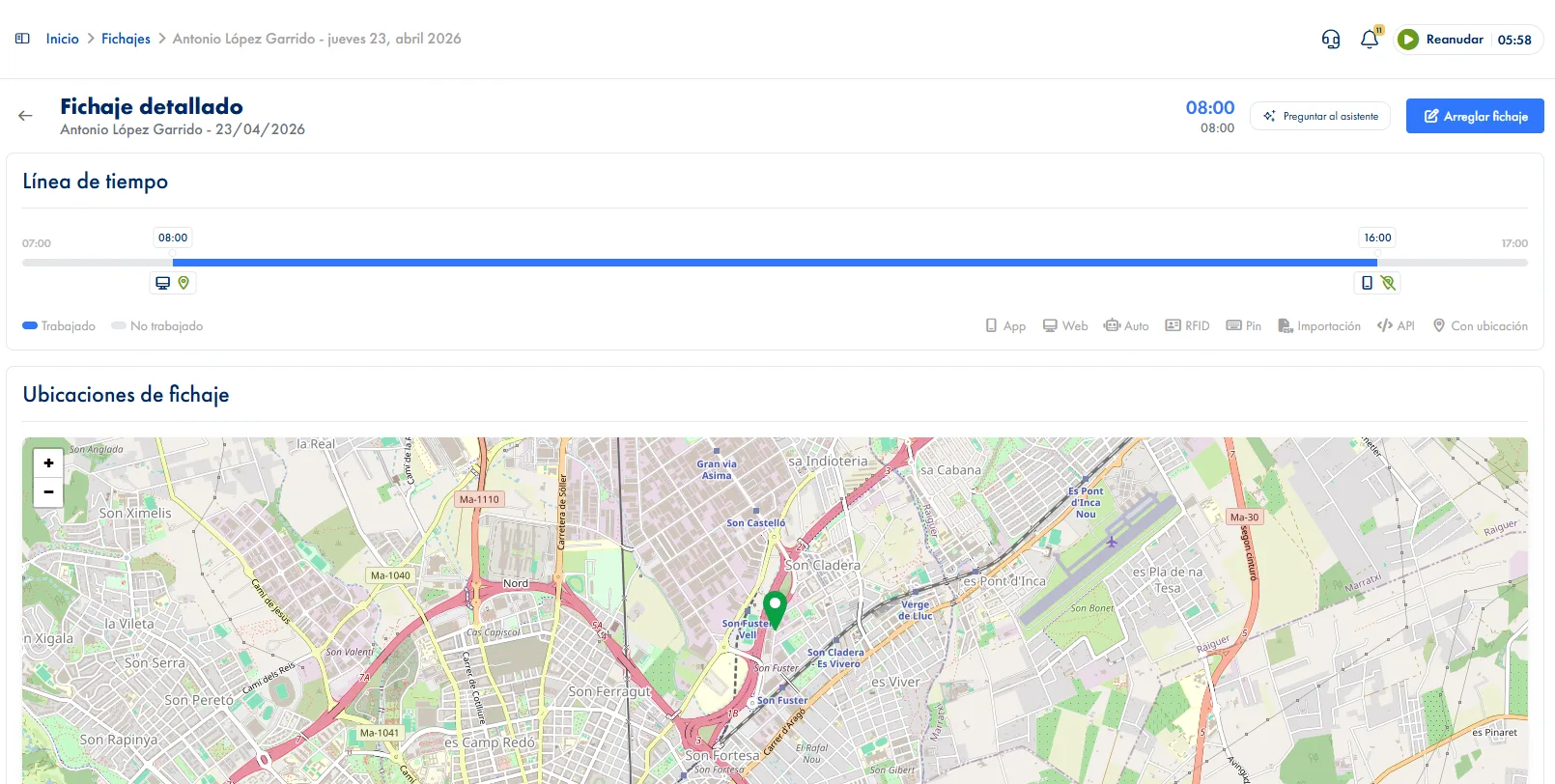
Record the GPS location of each clock-in. Verify that employees are where they should be when registering their entry or exit.

Modifications with history and approval

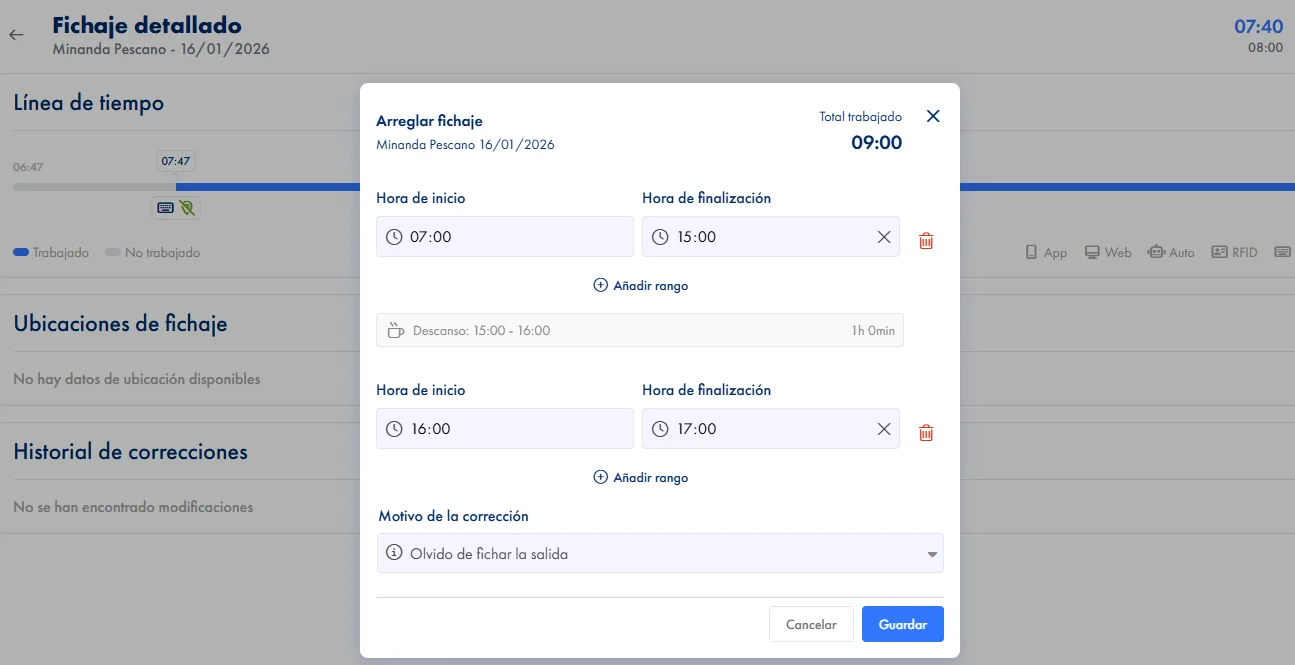
Employees can request clock-in corrections. Admins approve or reject with one click, keeping a complete history.

Clock-in method restrictions

Block which methods each employee can use. Prevent clocking in outside scheduled hours if needed.

Automatic workday closing

JornAda automatically closes unfinished workdays when the working hours plus configured courtesy time are reached.

RDL 8/2019 compliance

Generate the official workday record required by law. Export data at any time for inspections or audits.

How it works

How time tracking works in JornAda

  1. The employee clocks in

    From the browser, the app, a tablet in kiosk mode, an RFID card or a PIN. The server sets the time, not the device.

  2. A day is made of segments

    Each clock-out closes a range and clocking back in opens another on the same day. Split shifts are recorded as what they are.

  3. The system validates on the spot

    It blocks the methods that person is not allowed, stops two ranges being open at once and catches overlaps.

  4. It closes itself if someone forgets

    Once the expected hours plus the courtesy time are met, JornAda closes the day and marks it as an automatic close.

Nobody can change a clock-in on their own

A forgotten clock-in gets corrected, never deleted. The change has to be accepted by the employee and by a manager, with the reason in writing, and how the day looked before and after is kept. If either of them rejects it, everything goes back. So the company never edits hours behind anyone's back, and nobody argues later about what was recorded.

Nobody can change a clock-in on their own

One file and the inspection is done

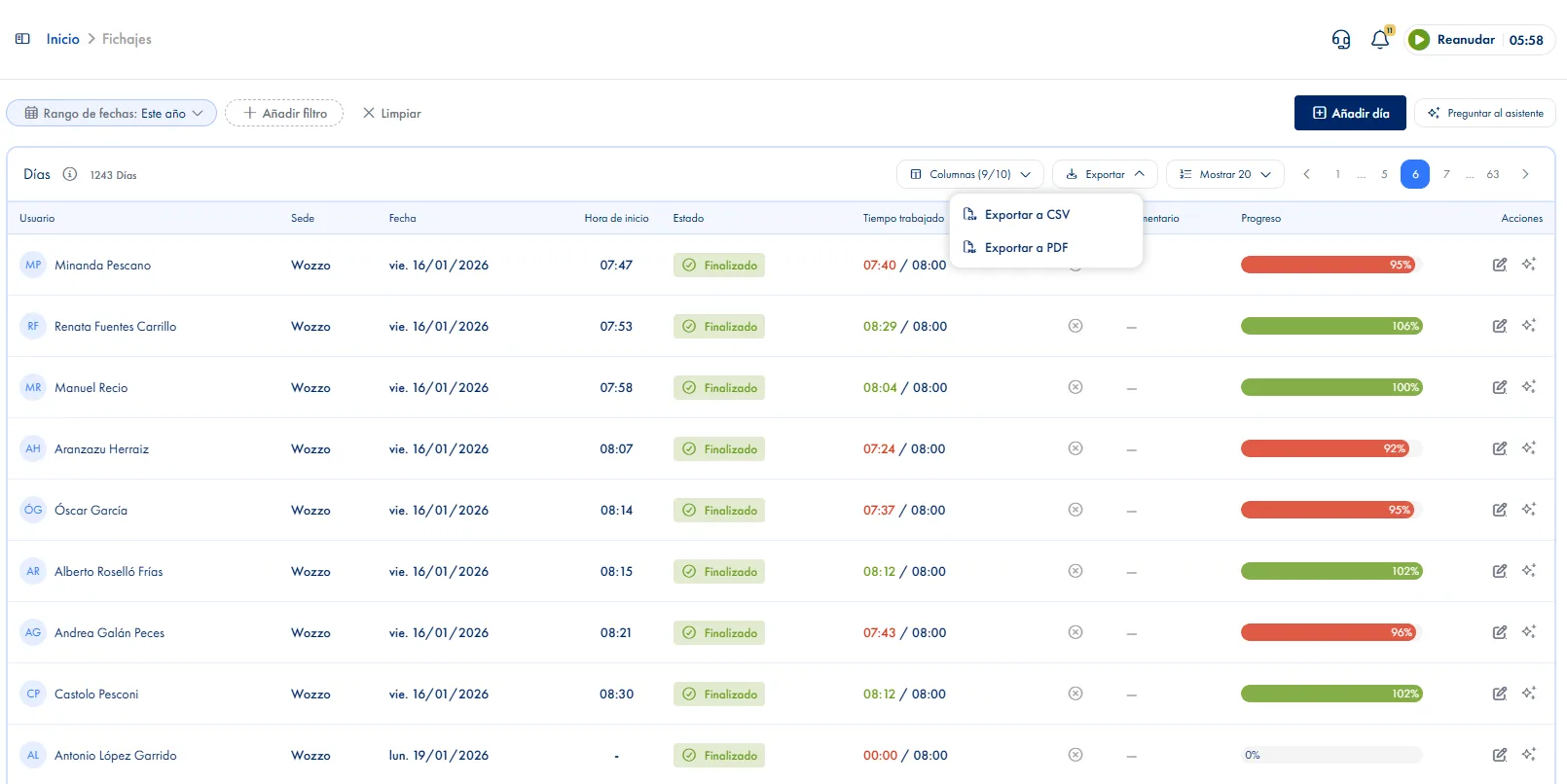
Download the record as CSV or PDF, with your company's tax header and a note of which filters produced it. Every clock-in says where it happened, not just when: JornAda resolves the postal address, and when GPS is not accurate enough it stops at the town rather than inventing a street.

One file and the inspection is done

JornAda sets the time, not the phone

The server stamps every clock-in as it arrives, so it cannot be brought forward or pushed back from a phone. Each range keeps its start and end time, how it was clocked, where, and whether the system closed it. And two workdays for the same person on the same date cannot exist. Coming from another system, old clock-ins import from a CSV.

JornAda sets the time, not the phone
Common questions

Frequently asked questions about time tracking

Can't find your answer?

Write to us and we will help you sort it out.

Contact us

JornAda closes the day by itself once the expected hours plus the courtesy time you configured are reached, and marks it as an automatic close so it is distinguishable from a real clock-out. If the day had no expected hours, because of a rest day or a public holiday, it is not closed.

Yes. Every clock-in and clock-out forms a range, and a day takes as many as needed: that is how split shifts are recorded. What is not allowed is having two ranges open at the same time.

They can request the correction, giving a reason, but the change does not apply until an admin approves it too. Who asked, when, why and how the day looked beforehand are all recorded.

The coordinates and their accuracy are stored whenever the clock-in method provides them. On export, JornAda turns them into a postal address, postcode and town. If accuracy is worse than 120 metres, it stops at the town instead of inventing a street.

Article 34.9 of the Spanish Workers' Statute requires them to be kept for four years. JornAda does not delete clock-ins, and the modification history is kept alongside the day it belongs to.

Eight different methods, and you do not have to pick one for the whole company: the browser, the mobile app, a tablet in kiosk mode by the door, an RFID card, a personal PIN and the API, among others. On top of that, you can block which methods each employee is allowed, so in a mixed workforce some clock in from their phone and others only at the terminal.

Yes. Each site has its own timezone and its own public holiday calendar, so two workplaces in the same company share neither the clock nor the days off. And schedules are assigned per person and per date, not per company, so split shifts, night shifts and flexible hours can coexist inside the same site.

Yes, on the web and in the app. They see their clock-ins, hours worked, hours expected and their balance, and opening a particular day shows its detail with the full history of modifications. People being able to check their own hours heads off half the month-end arguments, and it is also what makes the two-sided approval of a correction meaningful.

The location of the clock-in is stored, with its accuracy, whenever the method provides it, and on export it appears as a postal address and town. That shows where each clock-in happened without following anyone: a single position is taken at the moment of clocking in, with no tracking during the day. And if the employee gives no location permission, the clock-in is recorded anyway without it.

Yes, from a CSV. Each person is identified by email, ID number or social security number, and there is a preview before confirming, so the history goes in checked rather than blind. That is usually what holds up a change of system: being able to bring the four years the law requires you to keep, instead of leaving them in the old software.

They have their own record: each person sees their clock-ins, their hours and their balance from the web and the app, and opening a day shows the full history of modifications. If something does not add up, they request the correction with a reason and both sides resolve it, so the conversation happens over a figure they can both look at. And nothing is deleted: who asked, when, why and how the day looked beforehand all remain.

Ready to digitize your company's time tracking?

Record every employee's workday accurately and paperlessly. Comply with labor regulations with clock-ins from web, app, tablet, PIN or RFID.