Internal news that reaches the people it is meant for

Publish notices and news for the whole company or only for a site, a team or a role. Everyone gets them by email and on their phone, and can react.

Try for free✓ 15 days free · No card required
Internal news that reaches the people it is meant forInternal news that reaches the people it is meant forInternal news that reaches the people it is meant for

Recipients by site, team or role

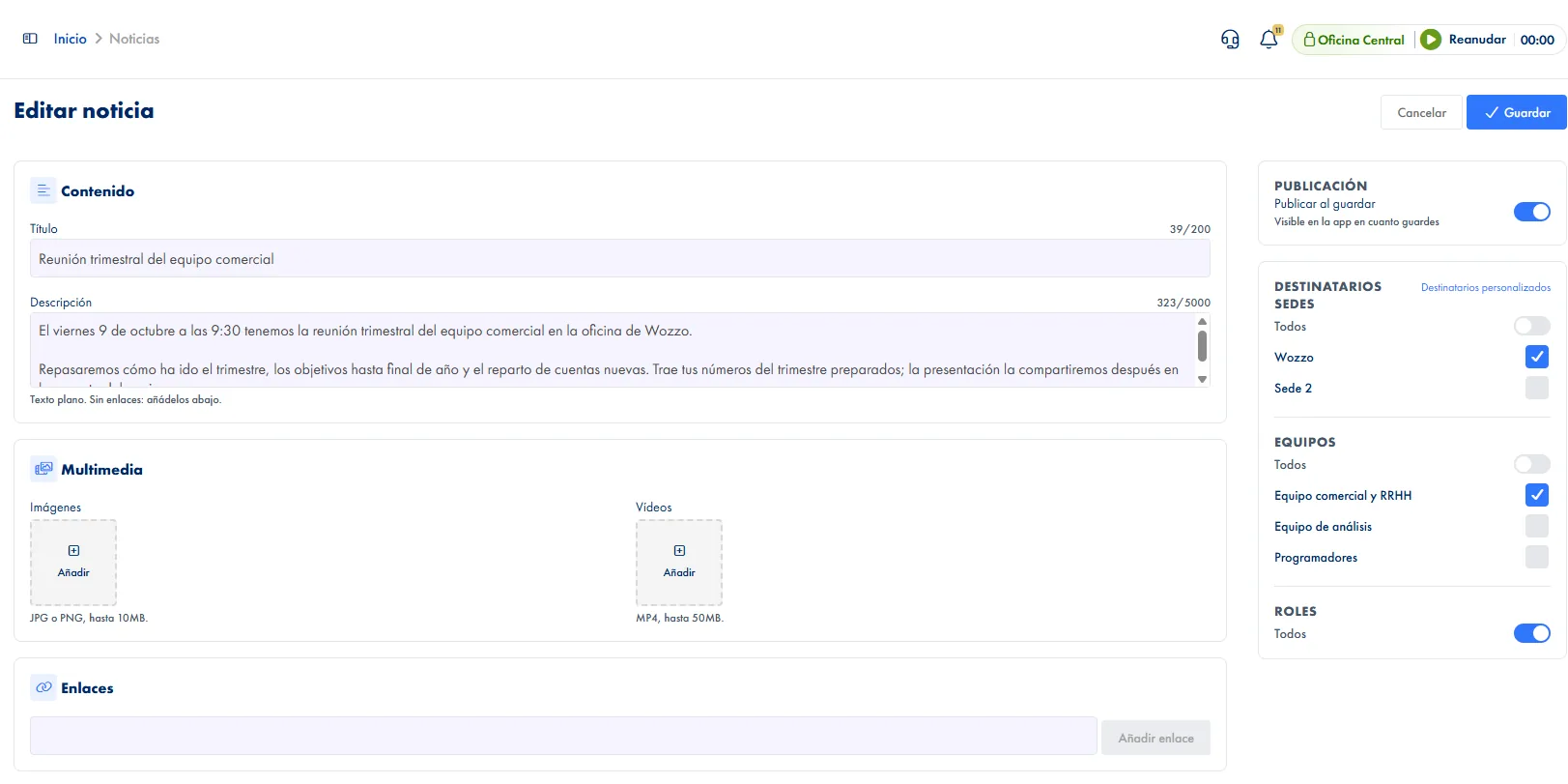
Each post goes to the whole company or only to the sites, teams or roles you pick. Anyone outside the recipients does not see it.

Images, videos and links

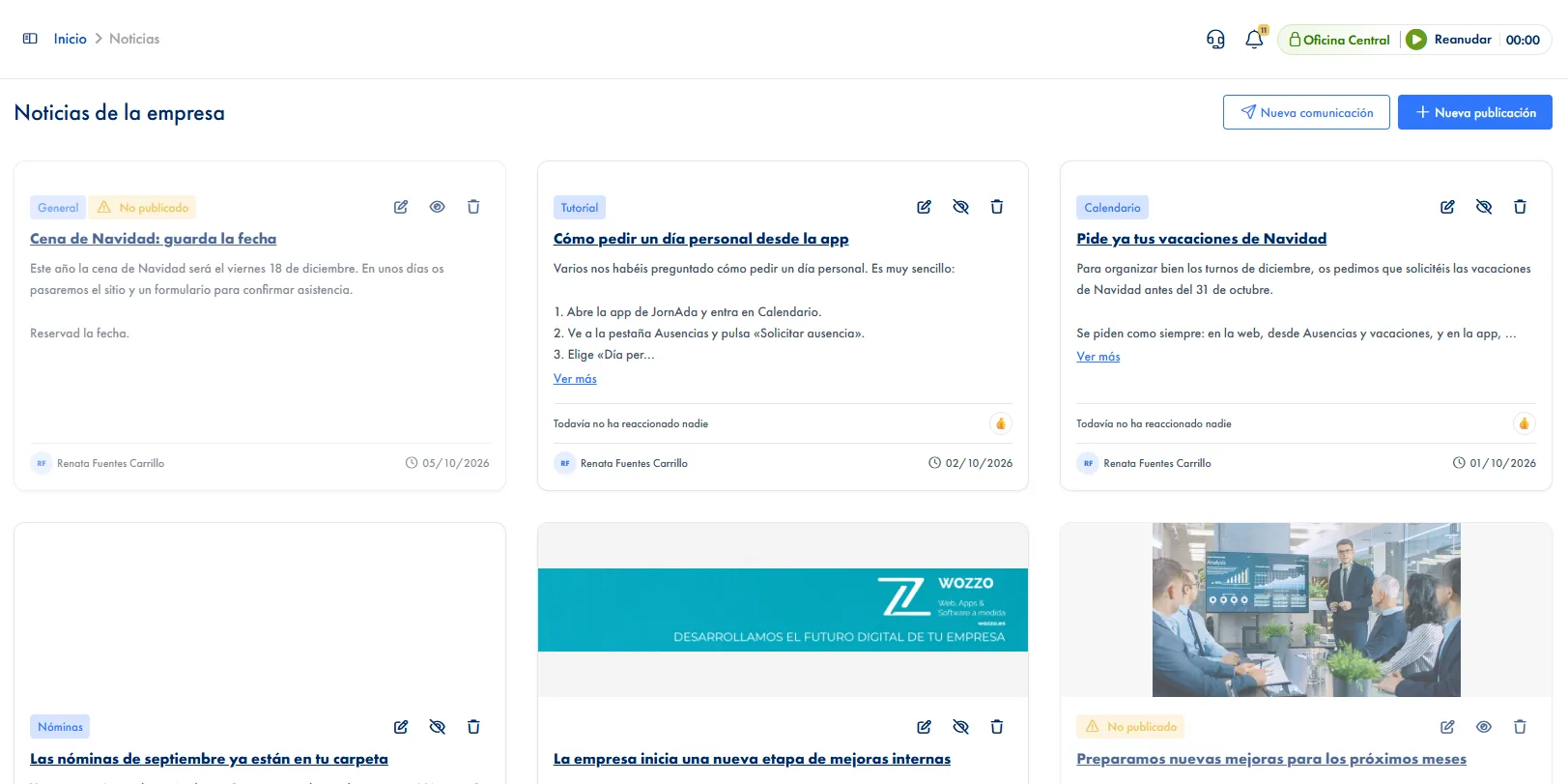
Add images, videos and external links, which build their own preview card, and tag the post with labels such as Payroll, Calendar or Legal.

Notified by email and on the phone

When you publish, recipients get the notice by email or push notification, depending on their preferences, and the post appears on their home dashboard.

Reactions from the team

Six reactions, one per person, with the list of who reacted. Whoever published gets one grouped notice instead of one per reaction.

Translation in the app

On the phone, each post is translated into the reader's language with one tap, and the original text is one tap away.

Written by the AI assistant

Tell the assistant what you want to announce and it writes the title and the text, applies the recipients and shows you the post before publishing it.

How it works

How internal communication works in JornAda

  1. You write the post

    Title, text and, if you like, images, videos, links and tags. You can save it unpublished and finish it later.

  2. You choose who it goes to

    The whole company, or the sites, teams and roles you pick. Within one criterion they add up; across criteria they intersect.

  3. You publish and people are notified

    Recipients see it on their home dashboard and get the notice by email or push, depending on their preferences.

  4. The team reacts

    Each person leaves their reaction, and you see the count and who reacted with what.

Publishing notifies once, and an email cannot be recalled

Publishing sends the notice by email and notification; unpublishing later hides the post, but the email has already gone. That is why you can save it unpublished, send the draft link to another admin to review and publish it when it is ready.

Publishing notifies once, and an email cannot be recalled

A site and a team means people who meet both

Within one criterion the values add up: two sites reach both. Different criteria intersect: a site and a team reach only the members of that team who work at that site. An empty criterion filters nothing, so for the whole company you simply leave them all unticked.

A site and a team means people who meet both

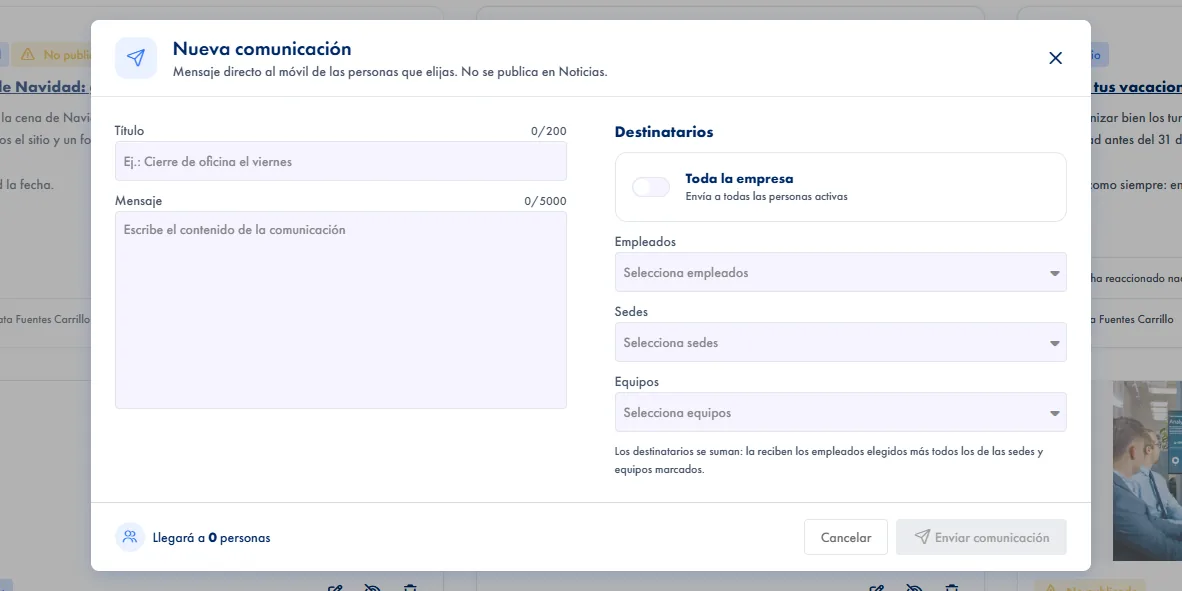
A direct notice that skips News

For things that don't need to stay published, such as an office closure or a last-minute change, there is "New communication": a message that reaches the people you choose as an alert and a phone notification, and never appears in News. Here recipients add up: the employees you pick plus everyone in the locations and teams you select, or the whole company in one click. Before sending it, you see how many people it will reach.

A direct notice that skips News
Common questions

Frequently asked questions about internal communication

Can't find your answer?

Write to us and we will help you sort it out.

Contact us

Company admins, who create, edit, publish, unpublish and delete. Employees see the posts addressed to them and react, but they do not publish.

On their home dashboard, newest first, on the web and in the app. Tapping the phone notification opens the post directly.

Yes. With the publish switch off it is saved without anyone seeing it or being notified. And a published post can be unpublished so it stops showing without deleting it.

There are six: Like, Love, Celebrate, Support, Insightful and Funny. Each person has one per post: picking another replaces it and tapping it again removes it. The count is of people, not taps, and tapping it shows who reacted and how.

No. Whoever published gets a single notice that keeps updating («Ana Pérez and 4 more people reacted to your post») while it is unread, and the phone sounds at most once an hour. These notices never arrive by email.

Yes. You tell it what you want to announce and it writes the title and the text, applies the recipients you give it and shows you the whole post before publishing. If a key detail is missing, such as the date, it asks. It does not add images or videos: if you want them, ask it to leave the post unpublished and add them yourself.

In the app, each post has a button to translate it into the reader's language, marked «Translated by Google», with a link back to the original.

Each post belongs to the company you had selected when you created it and cannot be moved to another. Admins of the other companies never see it, even if you wrote it with the same account.

Not from the dashboard: you open a Support ticket and the JornAda team restores it. If you only want it to stop showing, unpublish it, which hides it and keeps it.

Yes, through the API: create, edit, publish, unpublish and delete posts. Images, videos and featured links are added from the web.

Make every notice reach the people who need to read it

Publish notices and news for the whole company or only for a site, a team or a role. Everyone gets them by email and on their phone, and can react.

Let's talk

Shall we set it up in 5 minutes?

Tell us what you need and we will reply today.

Contact Name

Company Name *

Email *

Phone

Phone number with country code. Example: +34612345678

Type your message here...