The HR drive for your entire company

Organize and share company documents with folders, digital signature and bulk sending. Each employee has their own secure space and admins control who sees what.

Try for free✓ 15 days free  ·  No card required
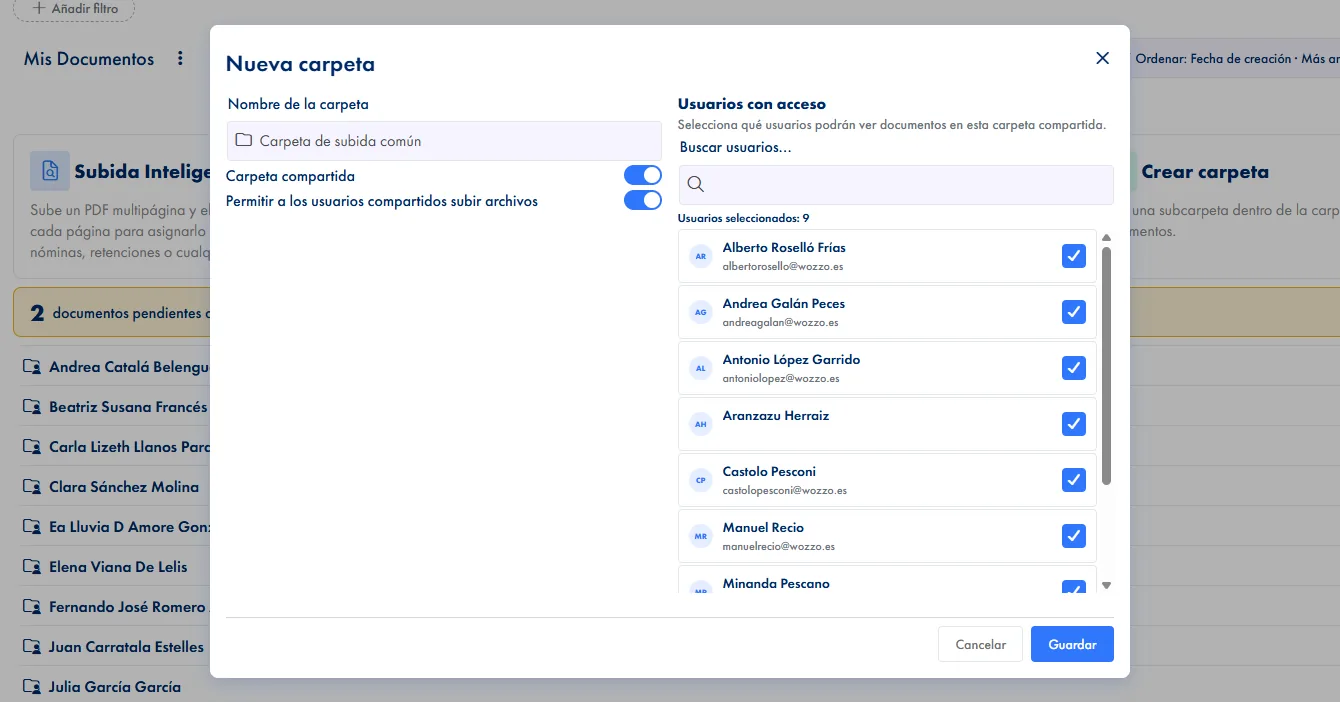
The HR drive for your entire company

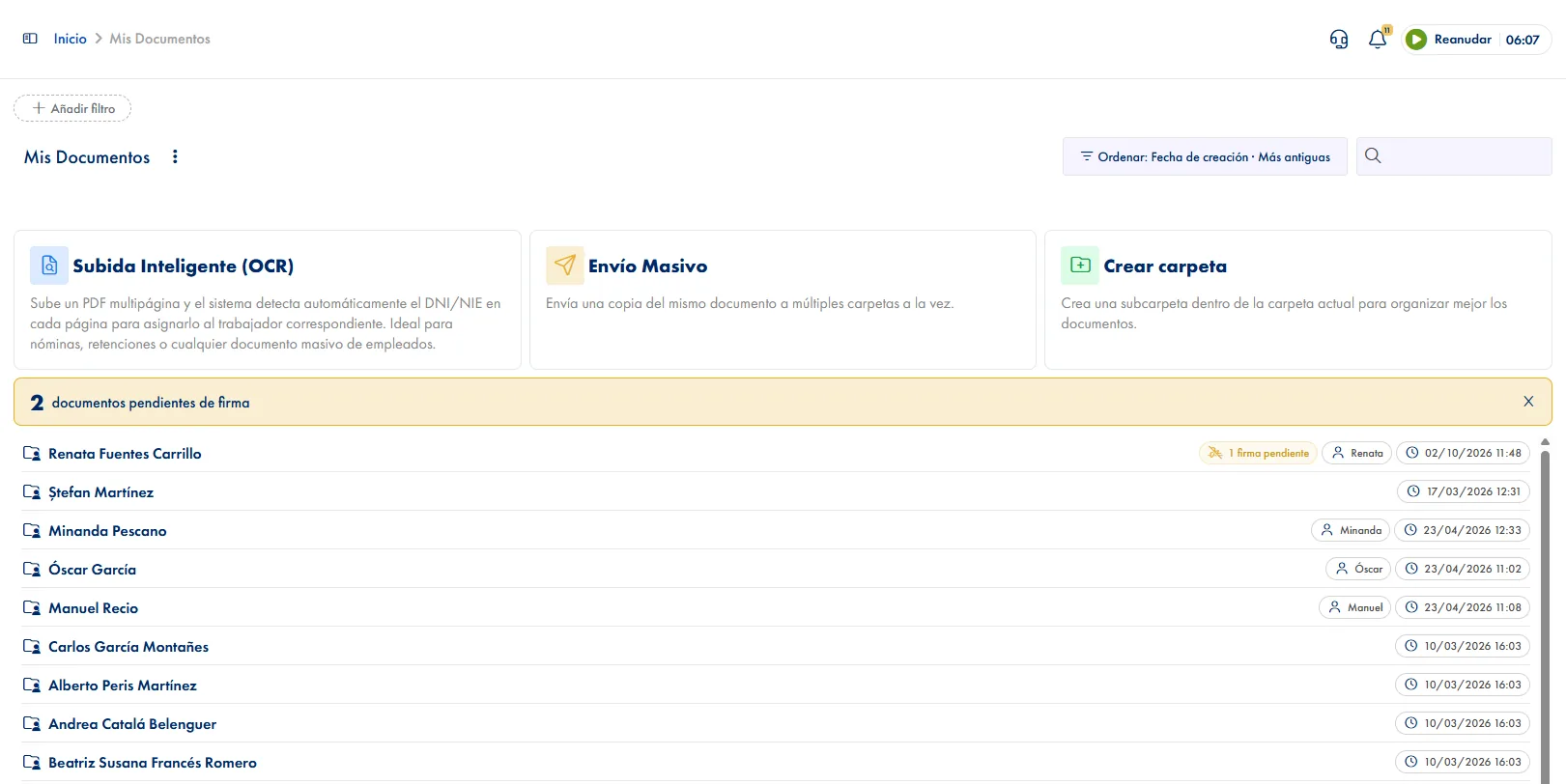
Complete file explorer

Create, organize and move documents in a hierarchical folder tree. Cut, copy and paste just like on your computer, from the browser.

Digital document signature

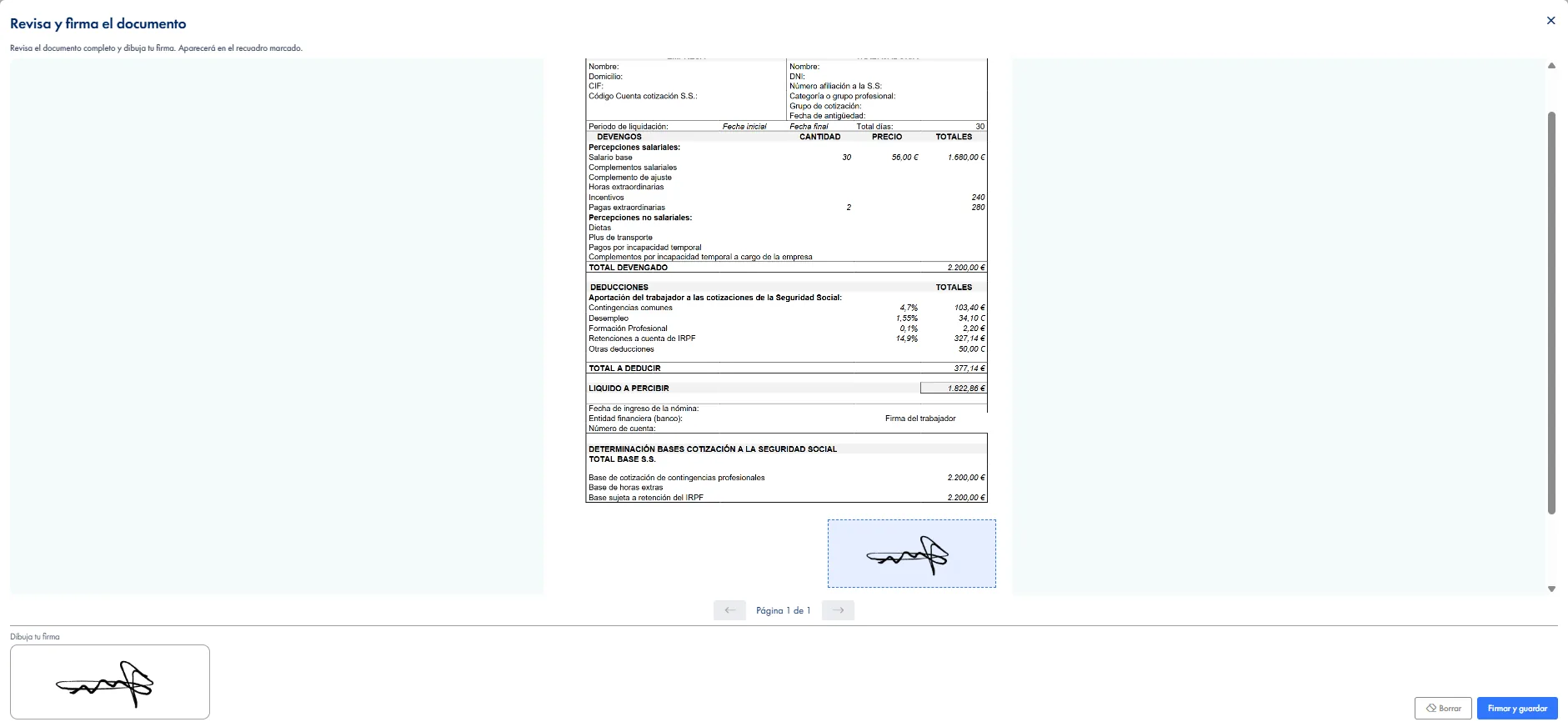
Mark documents as requiring a signature. The employee signs digitally and a PDF report is generated with the signature, date and tax details.

Bulk email sending

Send documents or entire folders as ZIP by email to one or more recipients. Add CC and a personalized message.

Access control and passwords

Define which documents are visible to each employee or the whole company. Protect sensitive documents with a password.

Global document search

Find any document instantly with the global search. Search by name across all folders simultaneously.

Bulk file upload

Upload multiple documents at once, including complete folder structures. Maintain organization when importing existing documentation.

How it works

How document management works in JornAda

  1. Everyone gets a folder the day they join

    When you add someone, JornAda creates their personal folder. That root cannot be deleted, so nobody is left without somewhere to receive their documents.

  2. The file goes up and gets checked properly

    24 file types, up to 50 MB each. And the extension is not enough: JornAda reads the file and rejects the upload if it is not what it claims to be.

  3. You decide who sees it

    Permissions work per folder, for a person, a team or the whole company, as viewer, editor or contributor.

  4. If it needs signing, you place the box

    You mark where the signature goes on the PDF itself. The employee signs with a finger or a mouse, from the web or the app.

A signature that holds up in a dispute

Every signature produces a downloadable PDF certificate with the date, who signed and under which ID, the IP address and device they used, and the SHA-256 hashes of both the original document and the signed one. Months later you can check that neither has been touched. The original is never lost: it is kept alongside the signed version.

A signature that holds up in a dispute

Permissions work per folder, not document by document

Each folder is shared with a person, a team or the whole company, as viewer, editor or contributor, and subfolders inherit what sits above them. Admins see the whole archive; a team leader with the documents permission also sees the personal trees of their people. Switching something from visible to restricted asks for confirmation.

Permissions work per folder, not document by document

What you notice using it every day

It works like the file explorer on your computer: list or grid, breadcrumbs, search, copy, cut and paste, and drag to move. Sorting understands Spanish, so "Nomina 10" comes after "Nomina 9" and accents sort the way a dictionary sorts them. One document can be sent to several folders at once, and several download as a single ZIP.

What you notice using it every day
Common questions

Frequently asked questions about document management

Can't find your answer?

Write to us and we will help you sort it out.

Contact us

24 types: PDF, images, Word, Excel, PowerPoint, OpenDocument, plain text, CSV, RTF, ZIP, MP4 and MP3. 50 MB per file maximum, and the upload stops the moment it goes over. JornAda checks the file's contents against the declared type, so renaming the extension gets you nowhere.

A downloadable PDF certificate with the date, the signer and their ID, the signature, the IP address and device they signed from, and the SHA-256 hashes of the original and the signed document. Both can be recalculated at any time. It is an electronic signature with an evidence certificate, not a qualified certificate.

Yes. The employee opens the document in the app, scrolls through it and signs with a finger inside the box you marked; from a browser it is the same, with the mouse. What the app does not have is Smart Upload with OCR, which is done from the web.

Three ways, and they combine. The folder: shared only with the people or teams who should get in. The document: marked restricted instead of visible. And the password: you can require one to open it.

Not from the panel itself: you have to open a Support query to try to recover it. Documents are versioned, so replacing a file does not make the previous one disappear. And with signatures the original is always kept alongside the signed version.

The same document goes to several folders at once, so a memo does not have to be uploaded twenty times. You can also mark it public so the whole company sees it, or share the folder only with the teams who should get in. One caveat: multi-folder delivery and a required signature cannot be combined, so if you need it signed, you distribute it another way. And documents can be emailed straight from the archive, with a warning when the attachments are too heavy.

In the archive it depends on the permission they hold on the folder: the contributor role is precisely the one that lets someone add documents without giving them access to everything else. Beyond that, each person has their personal folder from the day they are added, and that root cannot be deleted, so there is always somewhere to receive their payslips and contracts. And supporting documents for an absence are uploaded by the employee onto the approved absence, without asking admin.

Yes, and it combines with everything else. A document can be marked restricted instead of visible, the folder is shared only with those who should get in, and on top of that you can require a password to open it. For payslips distributed with Smart Upload, that password can be the ID number printed on each page, so every person opens their own without anyone handing out keys one by one.

Alerts go out, to the right people. When a non-admin uploads a file, only the admins chosen for that folder are notified. When an admin uploads it, the alert goes to the owner of the personal folder, or to the whole company if the document is public, and only to the people with access if the folder is shared. And when someone signs, admins get an alert naming who signed, so nobody has to go in and check.

In Amazon S3 storage, with the European region by default, so your workforce's documents do not leave Europe. There is also a seven-day cache, which is what makes opening a document you have already seen instant instead of downloading it again. And the explorer works like the one on your computer: list and grid views, breadcrumbs, search, and copy, cut and paste between folders.

Centralize all your company's documents

Organize and share company documents with folders, digital signature and bulk sending. Each employee has their own secure space and admins control who sees what.